The open-sourcecustomer support desk.
Self-hosted and free. Live chat, email, WhatsApp, and more in a single binary you run on your own server.
Postgres and Redis, then one binary. Live in minutes.
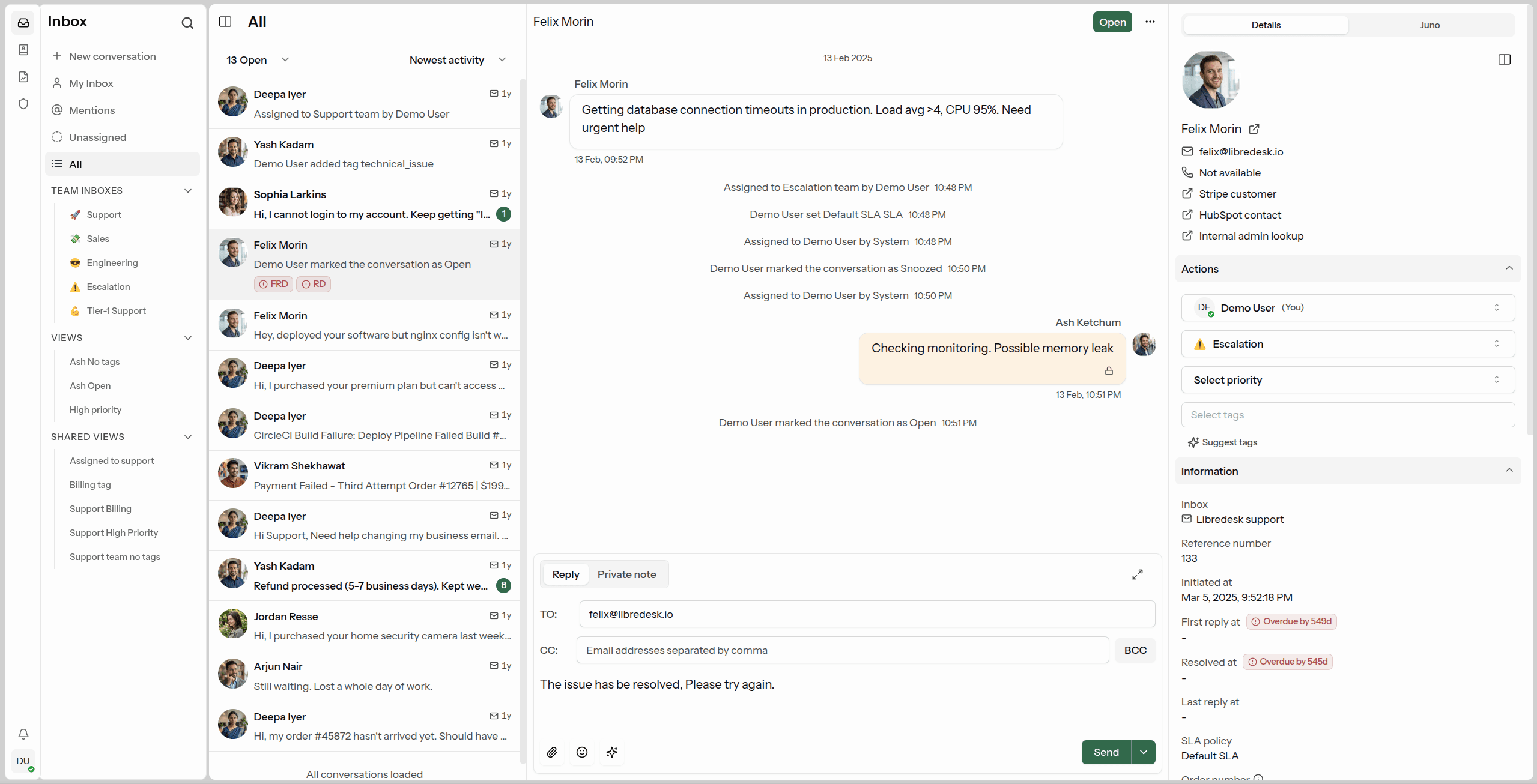
What's included.
See it in the live demoOmnichannel Inbox
Live chat, email, and WhatsApp in one inbox. Every conversation lands in the same place, whichever channel it came from.
Live Chat Widget
Embed a real-time chat widget on your website. Replies go out from the same inbox your team already works in.
Connect a WhatsApp number through the Meta Cloud API and handle those conversations in the same inbox.
AI Assistant
Answer live chat conversations automatically with an AI assistant grounded in your knowledge base. Hands off to a human when it can't help.
Agent Copilot
Draft replies, summarize conversations, and look up answers from the knowledge base without leaving the inbox.
Help CenterTry it
Publish a searchable knowledge base with collections, articles in multiple languages, and customize it however you want.
Automations
Rules that run on conversation events. Tag, assign, and route conversations based on conditions you define.
Granular Permissions
Role-based access control. Create custom roles with per-action permissions for teams and individual agents.
CSAT & Analytics
Send CSAT surveys automatically after a conversation closes. Track response times, resolution rates, and agent activity.
Custom Attributes
Create custom attributes for contacts or conversations such as the subscription plan or the date of their first purchase.
Macros
Save replies you send often. One macro can send the message, set tags, and assign the conversation to a team.
Organization
Tags, custom statuses, and snoozing to keep the inbox in order. Search covers every conversation.
Auto Assignment
Assign incoming conversations automatically, based on agent capacity or on criteria you define.
SLA Management
Set and track response time targets. Get notified when conversations are at risk of breaching SLA commitments.
SSO Logins
Google, Microsoft, and any OIDC provider are supported out of the box.
API
HTTP/JSON APIs and webhooks for custom integrations and workflows.
Up and running in minutes.
Latest release: v2.9.0 · October 22, 2026 · Release notes
Binary
 Linux
Linux macOS
macOS Windows
 FreeBSD
 NetBSD
 OpenBSD
- Extract and run
cp config.sample.toml config.toml - Edit
config.toml - Run
./libredesk --install - Run
./libredesk --set-system-user-password - Run
./libredeskand log in athttp://localhost:9000asSystem
Docker
# Download compose and config files
curl -LO https://github.com/abhinavxd/libredesk/raw/main/docker-compose.yml
curl -LO https://github.com/abhinavxd/libredesk/raw/main/config.sample.toml

# Copy and edit config as needed
cp config.sample.toml config.toml

# Start services
docker compose up -d

# Set the System user password
docker exec -it libredesk_app ./libredesk --set-system-user-password

# Log in at http://localhost:9000 as SystemOr deploy with a hosting provider

FAQ
Is libredesk really free?
Yes. libredesk is open source and free to self-host. Every feature is included, and there are no paid tiers.
Which channels does it support?
Email, WhatsApp through the Meta Cloud API, and a live chat widget you can embed on your website, plus HTTP/JSON APIs and webhooks for anything custom.
What do I need to run it?
A single binary or Docker container, plus PostgreSQL and Redis. Setup takes a few minutes.
Is there a hosted version?
No, libredesk is self-hosted. Railway offers a one-click deploy if you would rather not run the server yourself: Deploy on Railway →
Free and open source.
Open the live demo in your browser, or self-host your own instance.